The Genius Switch App: Why There Is None and How to Listen
Searching an app store for The Genius Switch will not find the product. It is a single audio file that arrives by email after checkout. Here is how to save it, play it offline and fit it into an 8-minute daily routine.
Contents
- 1The Genius Switch app question: what you actually buy
- 2Step one: find the delivery email
- 3How to save the track on a phone
- 4How to save it on a computer
- 5Listening offline and with headphones
- 6Building the 8-minutes-a-day routine
- 7Why app-store, YouTube and Spotify results are not the product
- 8What to do if the email does not arrive
- 9Safe listening: our advice
- 10Our take on the genius switch app search
- 11Related reading
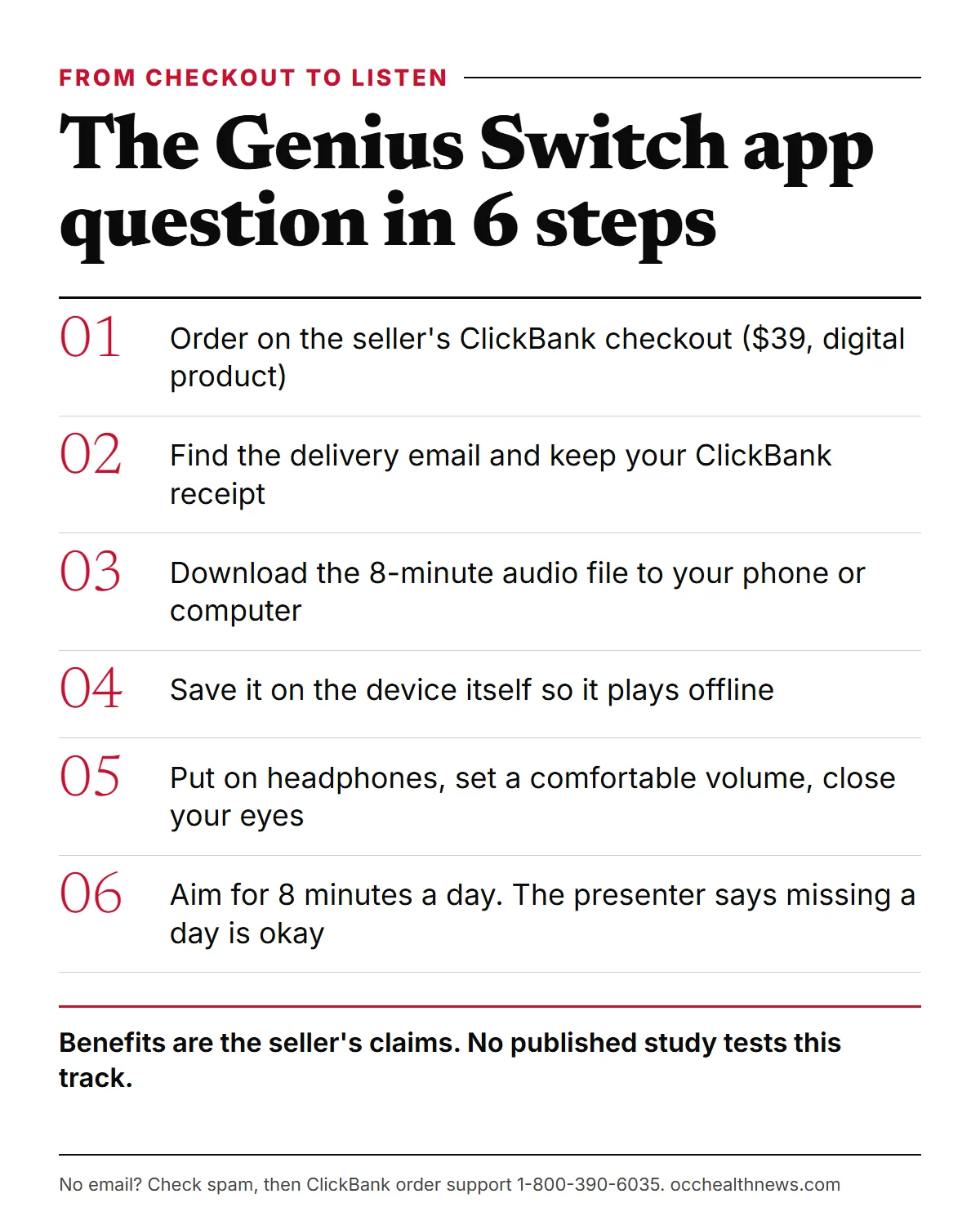
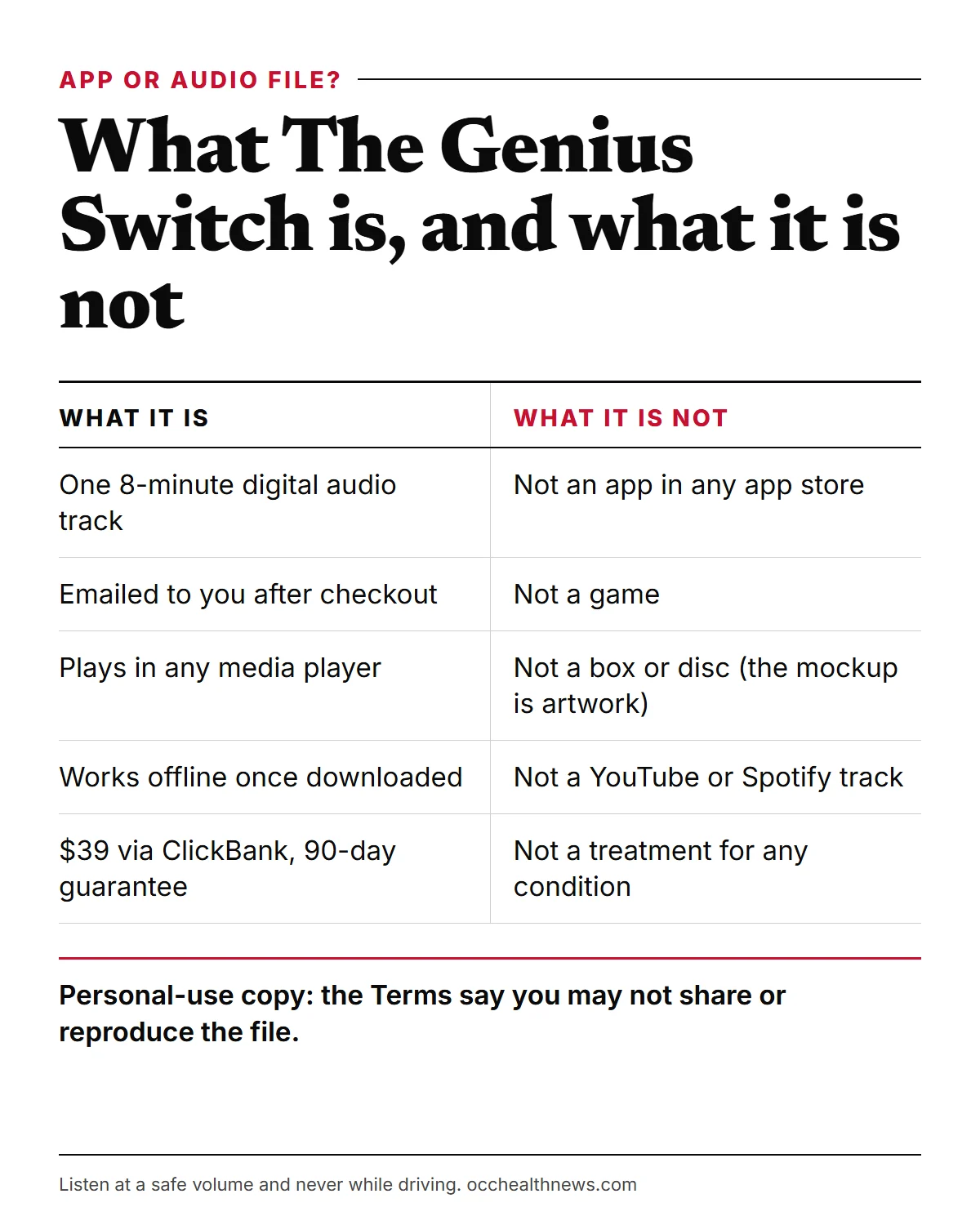
If you have been looking for the genius switch app in the App Store or on Google Play, you can stop searching. There is no app. No app is offered anywhere on the seller’s sales page, at the ClickBank checkout or in the 36-minute sales video. What you buy is a single 8-minute audio track that is emailed to you after you pay. You download it to a phone or computer and play it in whatever media player you already use.
This guide covers what that means in practice: finding the delivery email, saving the file on a phone or a computer, listening offline, choosing headphones, building the 8-minutes-a-day routine the seller describes, what to do if the email never shows up, and how to listen safely. We have not placed an order ourselves, so we describe the process from the sales page, the video, the checkout and the seller’s Terms.
The Genius Switch app question: what you actually buy
The sales video calls the product a “targeted auditory sequence”, and the sales page heading calls it the “Genius Switch Audio Series”. In both cases it comes down to one 8-minute digital audio track. The seller’s Terms of Sale put it plainly: “You are paying $39 today for The Genius Switch”, which the Terms describe as “a copyrighted digital article for personal use”.
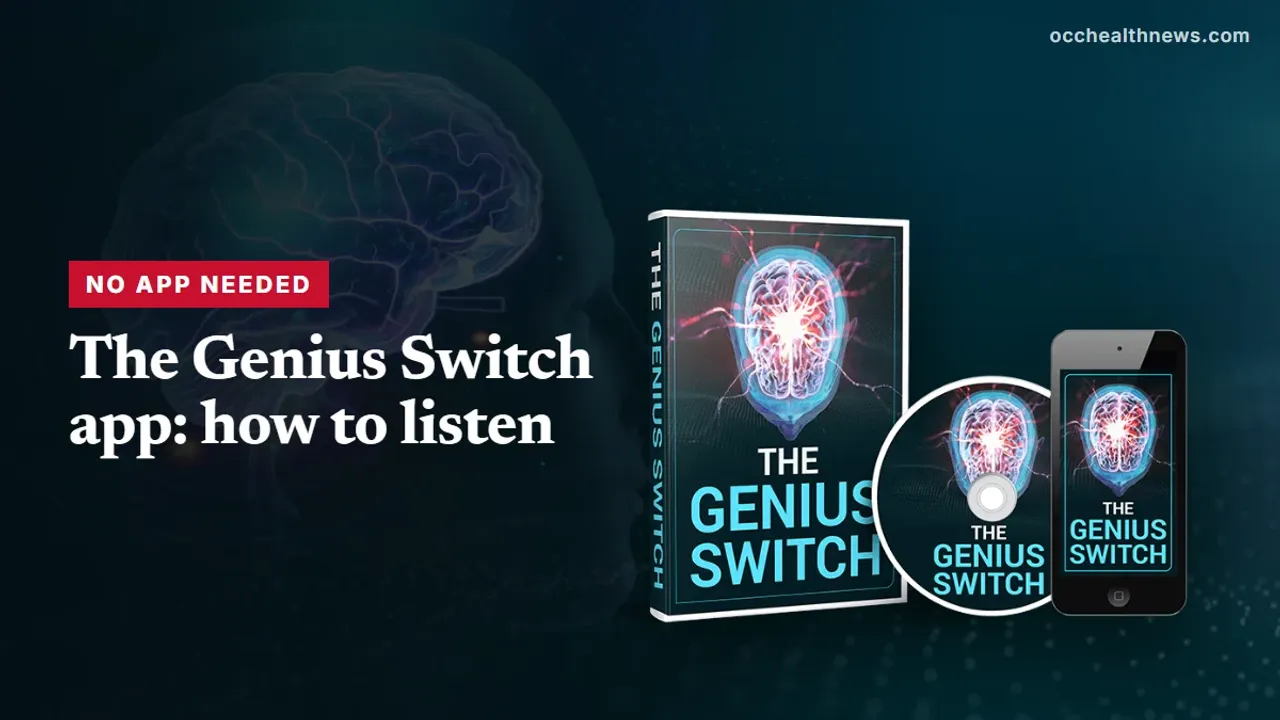
The confusion is easy to understand. The seller’s product mockup shows a phone, a boxed set and a disc, all printed with the Genius Switch logo. That image is artwork. The product is digital only. The video says there are no shipping fees and no physical package, and the checkout page labels the order “Digital Product” with immediate access once payment is approved. You will not receive a box, a disc or an app download link.
The video is led by the presenter, who introduces himself as Dr. Daniel Barone and is billed on the sales page as a New York City neurologist. We could not verify his identity or his involvement with the product. The site’s own terms also say testimonials and feedback may be dramatized with digital avatars or actors. The presenter describes the track as a way to achieve “whole brain activation”, which is the seller’s own term, not a clinical one. He links the idea to Roger Sperry, who won the 1981 Nobel Prize for split-brain research.
Step one: find the delivery email
According to the video, the track is “emailed to you immediately” once you complete your order. Two kinds of email can follow a ClickBank purchase: a receipt from ClickBank, and the delivery email with the track itself.
- Use the inbox you typed at checkout.
- Search for “ClickBank” and “Genius Switch”. Filters often move purchase emails into spam, junk or promotions tabs.
- Keep the ClickBank receipt. It carries your order details, and you will need it for support or a refund. The charge on your card statement appears as CLKBANK*GeniusSwitch.
- Expect marketing emails. The Terms say buyers are added to the seller’s email lists and will get emails from GeniusSwitchOfficial.com. You can unsubscribe from those at any time without losing the track.
How to save the track on a phone
The presenter’s instruction is simple: “Just download the digital audio track to your phone or computer.” Because we have not seen the delivery email, we cannot show its exact layout. The general method below works for most emailed audio files.
On an iPhone
Open the delivery email and tap the download link. If the file opens in a web page with a play button, look for the share or download option and choose to save it. Safari normally places downloads in the Files app, under Downloads. Open Files, find the track and tap it to play.
If your Downloads folder sits in iCloud Drive, make sure the file shows as downloaded and not as a cloud icon. Otherwise it may need a connection before it plays. Moving it to the “On My iPhone” location avoids that.
On an Android phone
Tap the link in the email. Chrome and most other browsers save files to the Downloads folder. Open your Files app, go to Downloads and tap the track. It will open in your default music or video player. Some music apps only list files kept in the Music folder, so move it there if you want it to appear in your library.
If downloading on the phone is awkward, open the same email on a computer and download it there instead.
How to save it on a computer
On Windows or a Mac, clicking the download link usually saves the file to your Downloads folder. From there:
- Rename the file to something you will recognize, such as “Genius Switch 8 min”.
- Move it to your Music folder so it does not get lost among other downloads.
- Double-click it to play in the built-in player, such as Media Player on Windows or Music or QuickTime on a Mac. Any other player you like works too.
One limit from the Terms is worth knowing. Your purchase is “a single-user personal-use copy”, and the Terms say you may not reproduce, share or make the content publicly available. Do not post the file to a shared folder or send it to friends. Keep the original delivery email so you have a record of where the track came from.
Listening offline and with headphones
Once the file is saved on your device, you do not need an internet connection to play it.
The presenter’s instructions are the same each time: “pop on a pair of headphones”, “close your eyes and listen”, and after 8 minutes the track finishes. He says you do not need to meditate, repeat a mantra or write anything down. Wired or wireless headphones will both play the file. A few practical tips:
- Turn on Do Not Disturb so notifications do not cut through the 8 minutes.
- Set the volume before you close your eyes, at a level where you could still hear someone speak to you.
Building the 8-minutes-a-day routine
The seller’s routine is one 8-minute listen a day. When a viewer asks what happens if you miss a day, the presenter answers: “It’s okay.” He adds that you should “just aim to listen every day for those eight minutes”.
A habit this short is easier to keep if you attach it to something you already do. Some ideas:
- Pick one fixed slot, such as straight after your morning coffee or before you turn off the light at night.
- Set a daily phone reminder named after the track, so you do not have to remember.
- Keep the file one tap away, for example on your home screen or in a one-track playlist.
The video makes strong claims about timing. It says the track “starts working the very first time you listen”, that “many customers notice a difference within the first two to three days” and that most people see results “within a couple weeks”. These are the seller’s claims. They have not been tested in any published study of this track. If you try it, a simple note after each session (date, time, how you felt) gives you something concrete to judge by. It also helps you decide well before the 90-day refund window closes.
Why app-store, YouTube and Spotify results are not the product
Because there is no official app, anything you find in an app store using the Genius Switch name is not something the seller offers on its sales page, video or checkout. The same goes for streaming sites. The video says the product is not on Amazon, and when a viewer asks about YouTube or Spotify, the presenter says the track “cannot be found anywhere else including on YouTube or Spotify”. He adds that the tracks his team checked on those platforms were not the same.
That is the seller’s view, and we cannot test what is inside any particular track. It is still a useful rule for buyers. A free video or a paid app with a similar name is not the $39 product, and paying for one will not give you the file the seller sells.
There is also a wrinkle in how the product is described. The video says the method “has nothing to do with brain waves”, yet the sales page lists studies on 40 Hz binaural beats and gamma stimulation as references. Because so many apps and streaming tracks are labelled “binaural beats”, search results for the name quickly fill up with unrelated audio. The file in your delivery email is the only version the seller sells.
What to do if the email does not arrive
The video says the track arrives “in a matter of minutes”. If it does not:
- Wait 10 to 15 minutes, then check spam, junk and promotions folders again.
- Confirm the address shown on your ClickBank receipt. A typo there is a common reason for missing downloads.
- Call ClickBank order support on 1-800-390-6035, or use ClickBank’s customer service site at clkbank.com to look up your order.
- Contact the seller through the contact page on its website for product questions.
Keep records while you do this. The FTC’s online shopping advice suggests saving the seller’s name, what you ordered, what you paid, the return policy and every email about the order.
Safe listening: our advice
The seller’s site says the product is “not intended to diagnose, treat, cure, or prevent any disease”, and its Terms describe the products as being for entertainment purposes only. It is not a treatment for any condition. Our own advice for any audio track of this kind:
- Keep the volume comfortable. The World Health Organization suggests keeping personal devices at no more than 60% of maximum volume.
- Never listen while driving or operating machinery. The routine involves closing your eyes and relaxing.
- Ask a doctor first if you have epilepsy, a history of seizures or hearing problems.
On the evidence: some small studies on binaural beats, including the 40 Hz attentional-blink study the seller cites (Ross and Lopez, 2020), report short-term effects on attention or mood. Overall the research is mixed: a 2019 meta-analysis found a medium overall effect on some outcomes, while a 2023 review found most entrainment studies did not show the brainwave change. No published study tests The Genius Switch track itself.
Our take on the genius switch app search
People search for an app because the seller’s mockup shows a phone and because most audio products today come inside one. The Genius Switch does not. It is one 8-minute audio file, sold for $39 through ClickBank, emailed after checkout and played in any media player. That format has some advantages: it works offline, it needs no account or subscription, and it plays on almost any device.
What you are paying for, and whether it does anything, is a separate question. The benefits in the video are the seller’s claims, the presenter’s identity could not be verified, and no published study tests the track. If you decide to try it, download it properly, keep your receipt, listen at a safe volume and note how you feel, so you can use the 90-day guarantee if it does not suit you.
Whatever you decide, skip app-store listings and streaming tracks that borrow the name. If you buy, the only way to get the product is the checkout on the seller’s own site, with the file arriving by email.
Related reading
Frequently asked questions
Is there a Genius Switch app?
No. No app is offered anywhere on the sales page, the checkout or the sales video. The Genius Switch is an 8-minute digital audio track that is emailed to you after you pay, and you play it in any media player on a phone or computer.
How do I get the track after I order?
The seller says the track is emailed to you immediately after checkout, and the checkout page describes it as a digital product with immediate access once payment is approved. Download the file from that email to your phone or computer and keep the email and your ClickBank receipt.
Can I listen to The Genius Switch offline?
Yes, once the file is saved on your device. A downloaded audio file plays without an internet connection. On an iPhone, check that the file is stored on the phone itself or marked as downloaded if it sits in iCloud Drive.
Is the Genius Switch on YouTube or Spotify?
Not according to the seller. The video says the product is only sold through its own website and is not on Amazon, YouTube or Spotify. The presenter says tracks on those platforms are not the same, so anything there using the name is not what you would be buying.
What if the email with the track never arrives?
Wait a few minutes, then search your spam, junk and promotions folders for ClickBank and Genius Switch. Check that you typed your email address correctly at checkout. If it is still missing, call ClickBank order support on 1-800-390-6035 with your order details, or use the contact page on the seller's site.
What happens if I miss a day of listening?
The presenter says it is okay to miss a day and that you should simply aim to listen for 8 minutes every day. Any results he describes are the seller's claims and have not been tested in a published study of this track.
Is it safe to listen with headphones?
Our advice: keep the volume comfortable, do not listen while driving or operating machinery, and ask a doctor first if you have epilepsy, a history of seizures or hearing problems. The seller's own site says the product is not intended to diagnose, treat, cure or prevent any disease.
Sources
- 1 40-Hz binaural beats enhance training to mitigate the attentional blink Scientific Reports · 2020
- 2 Efficacy of binaural auditory beats in cognition, anxiety, and pain perception: a meta-analysis Psychological Research · 2019
- 3 Deafness and hearing loss: Safe listening World Health Organization
- 4 Online Shopping US Federal Trade Commission
- 5 ClickBank Customer Service: Order Lookup and Support ClickBank
About the author
OccHealthNews Editorial Team. We read the studies, guidelines and regulatory filings so you do not have to, and we show our sources on every piece. More about how we work.