The Genius Switch File: Download, Store, Back Up, Get Help
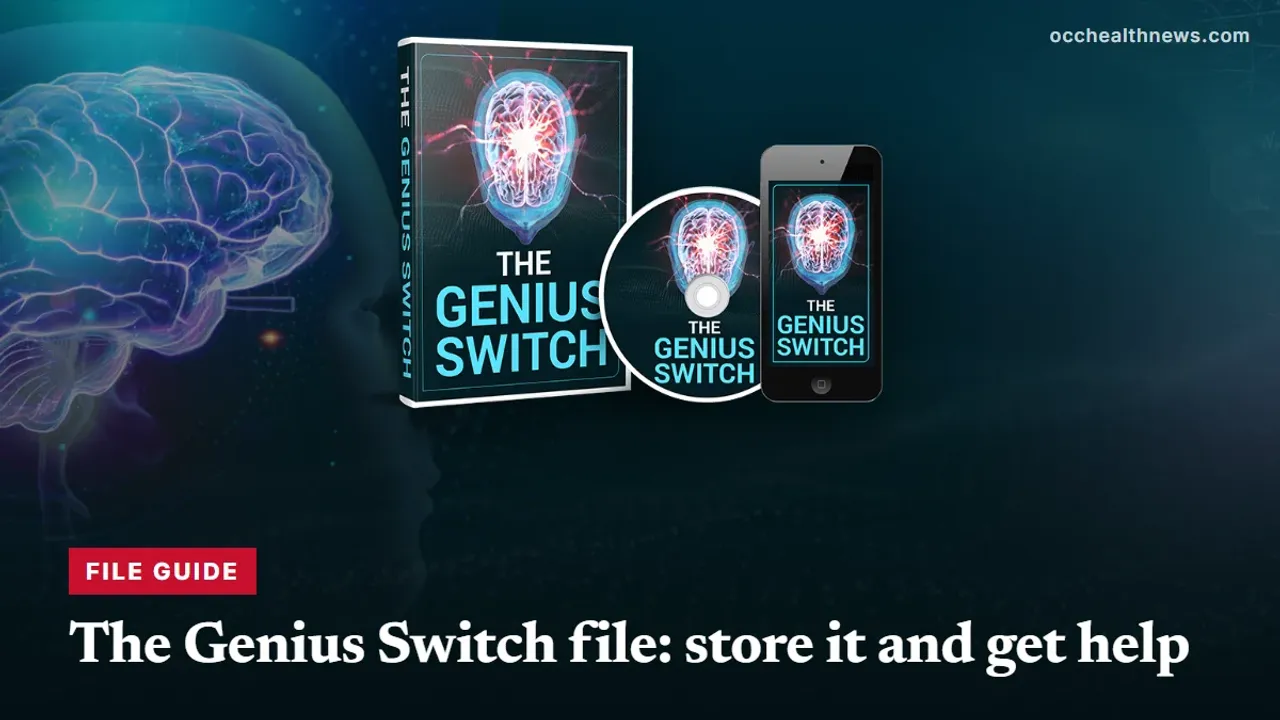
The Genius Switch is a single audio file, not an account or an app. That makes the file itself the thing to look after. Here is what is known about it, how to keep it safe, what the seller's terms say you may do with it, and where to turn when it will not play.
Contents
- 1What the Genius Switch file is, and what we could not confirm
- 2Your first ten minutes with the file
- 3A storage plan for one small file
- 4What the Terms let you do with the file
- 5When the file will not cooperate
- 6Why “free” Genius Switch file downloads are a bad idea
- 7Who to contact about the file
- 8Before you press play
- 9Our take on the genius switch file
- 10Related reading
If you are searching for the genius switch file, you have probably bought the track or are about to, and you want practical answers. What exactly lands on your device? Where should you keep it? Can you copy it for someone else? Why will it not play on your phone? Because The Genius Switch is a single downloadable recording, with no account to sign in to, the file is the whole product. Lose it, and you are back to digging through old emails.
This guide covers the file from the moment it arrives until you need help with it. It is based on the seller’s sales page, its sales video, its Terms and the ClickBank checkout, plus general advice from the FTC. We have not purchased the track, so where something is not stated by the seller, we say so.
What the Genius Switch file is, and what we could not confirm
The product is one digital audio track that runs for 8 minutes. The video calls it a “targeted auditory sequence”. In the seller’s Terms of Sale, what you pay for is, in their words, “a copyrighted digital article for personal use”, and the same section adds that it is “a sale of a copyrighted article, not a license”. You do not receive rights to reproduce, resell, modify or redistribute it.
The checkout labels the order a “Digital Product” with “Immediate access” once payment is approved, and the presenter, who introduces himself as Dr. Daniel Barone, says the track is emailed to you straight after you complete your order. Nothing is posted. It is not an app and not a game; you play it in whatever media player your phone or computer already has.
| Question | What the seller states |
|---|---|
| What is it? | One 8-minute digital audio track |
| How does it arrive? | By email, immediately after checkout |
| Where do I play it? | Downloaded to a phone or computer, in any media player |
| What may I do with it? | Single-user personal use only |
| File format and size | Not stated on the seller’s pages |
| How long the download link works | Not stated on the seller’s pages |
| How the four bonuses are packaged | Not stated on the seller’s pages |
Those last three gaps matter. Without knowing whether the link expires, the safest plan is to treat the first download as the one that counts.
Your first ten minutes with the file
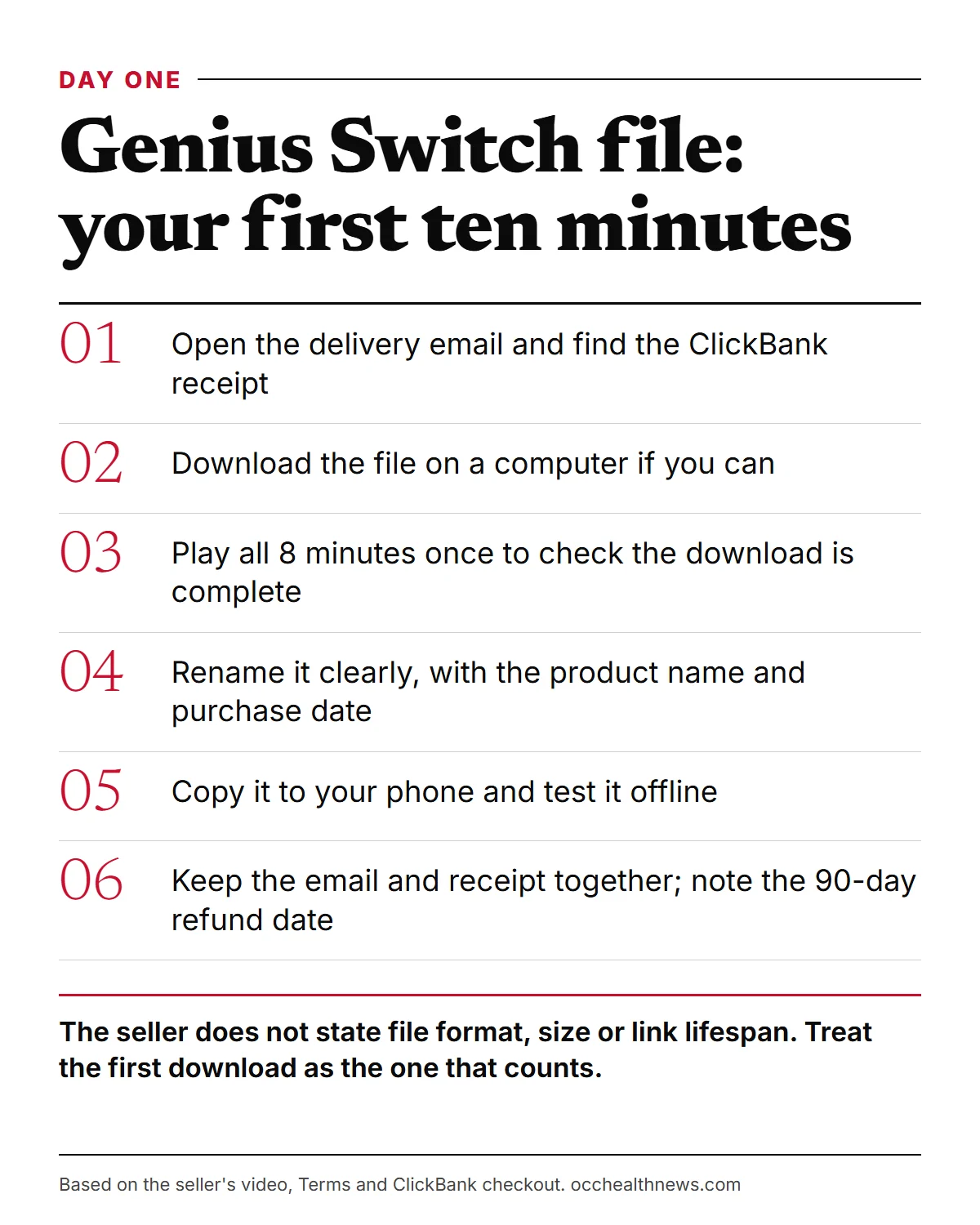
A little care on day one saves trouble later. In order:
- Open the delivery email in the inbox you typed at checkout, and find the ClickBank receipt that arrives alongside it.
- Download on a computer if you can. It is easier to see where the file lands and to give it a sensible name.
- Play it through once, start to finish. A track that stops well before 8 minutes points to a broken download, and it is better to spot that now.
- Rename it clearly, for example with the product name and the date you bought it.
- Copy it to the phone you will listen on, and check that it plays there with no internet connection.
- File the paperwork. Move the delivery email and the receipt into one folder, and put the 90-day refund deadline in your calendar.
A storage plan for one small file
One audio file is easy to lose among downloads, photos and phone upgrades. Here are the usual places to keep it and what to watch for with each.
| Where | Good for | Watch out for |
|---|---|---|
| Phone storage | Daily listening, offline | Lost or reset phones; files that sit only in the cloud |
| Computer music folder | A stable main copy | A cluttered downloads folder; drive failure |
| Your own private cloud folder | Surviving a lost device | Never create a shared or public link to it |
| USB stick or external drive | An offline spare | Small and easy to misplace; label it |
| The delivery email | Proof of purchase, maybe a fresh download | Link lifespan not confirmed |
The seller’s own instructions are to download the track to your phone or computer, so keeping it on the devices you use is plainly expected. The Terms are stricter about copies in general: they forbid reproducing the product and say nothing about backups either way. Anything that lets another person reach the file, such as a shared drive, a family cloud library or a public link, clearly crosses the line. If you want certainty about a private backup, ask the seller through the contact page on its site.
What the Terms let you do with the file
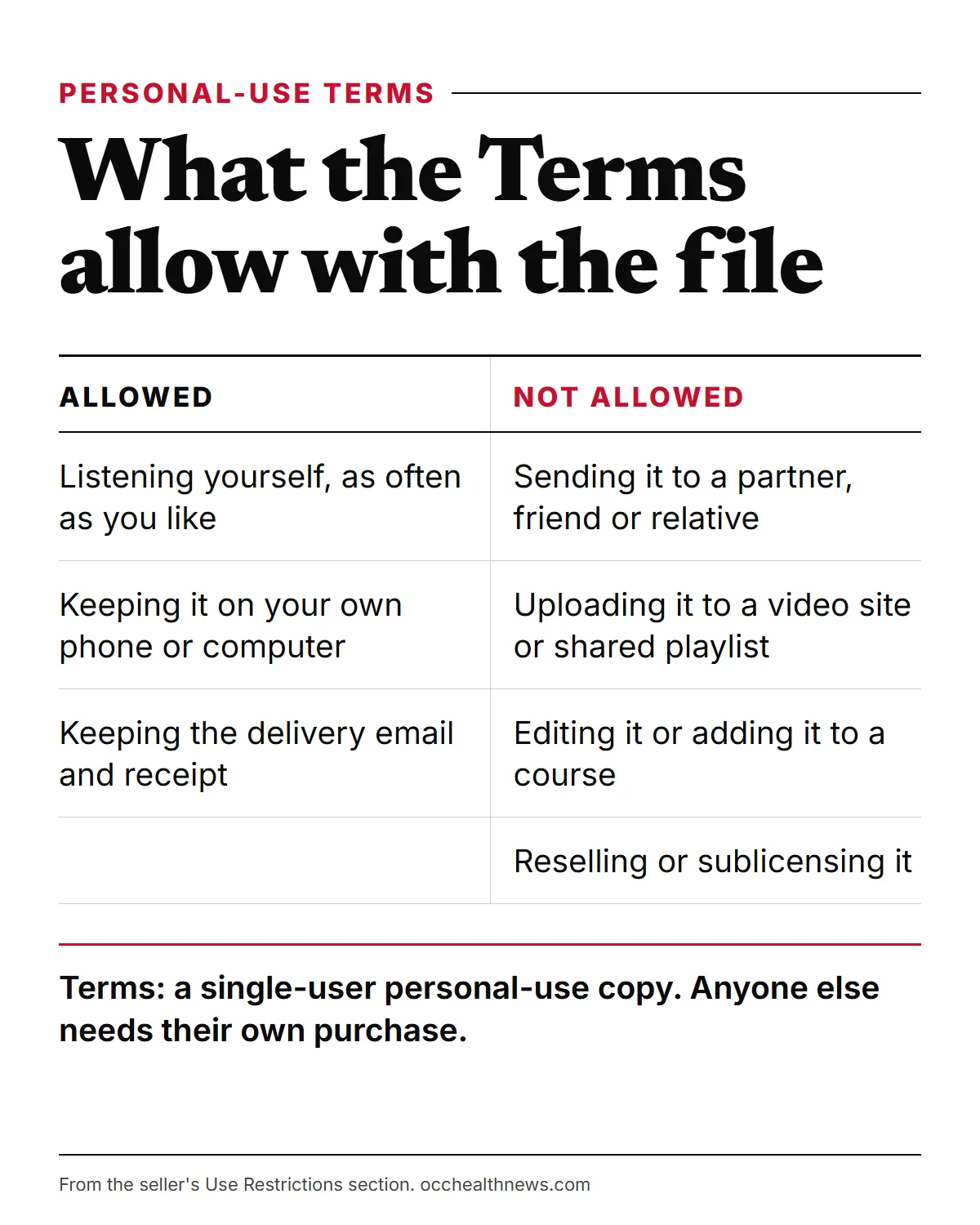
The Use Restrictions section is short and direct. It says your purchase “grants a single-user personal-use copy”, and that you may not “reproduce, modify, resell, sublicense, or share the product”. You may not build it into another product or course, and you may not make the content “publicly available or accessible by others”. The Terms also say the service is meant only for people over 18.
In practice, that sorts common situations like this:
- Fine: listening yourself, on your own phone or computer, as often as you like.
- Fine: keeping the delivery email and receipt for as long as you own the file.
- Not allowed: sending the file to a partner, friend or relative, even for free.
- Not allowed: uploading it to a video site, a podcast feed or a shared playlist.
- Not allowed: editing it, looping it into a longer track or adding it to a class you teach.
- Not allowed: selling it on, or passing it along with a resale of anything else.
One more thing arrives with the file. The Terms say buyers are signed up to the seller’s mailing lists and will receive emails from GeniusSwitchOfficial.com, some promoting third-party offers. Unsubscribing does not affect a file you have already saved.
When the file will not cooperate
Most problems with an emailed audio file have ordinary causes. Work down this table before you contact anyone.
| Problem | Likely cause | What to try |
|---|---|---|
| The link opens a player in your browser | Some links stream before they download | Look for a download or share option, or open the email on a computer |
| The download stops part-way | Weak signal or the phone went to sleep | Retry on Wi-Fi or a computer, with the screen on |
| The file will not open | An unfinished download or a player that does not support it | Download again, then try a different media player |
| It plays on the computer but not the phone | The copy did not finish or sits only in the cloud | Copy it again and store it on the device itself |
| Sound in one ear only | One earbud, a damaged cable or the mono audio setting | Check both earbuds and the accessibility audio settings |
| Far too loud or too quiet | Device volume left from other listening | Set the level before you start, no more than 60% of maximum |
| Gone after a phone change | No second copy was kept | Restore from your computer copy, or contact support |
The volume line comes from the World Health Organization, whose safe-listening guidance puts the ceiling for personal devices at 60% of full volume. If none of the fixes work, the file itself may be faulty. Contact the seller through its site with your order details, and keep a note of when you did.
Why “free” Genius Switch file downloads are a bad idea
Search results for a paid file often turn up sites offering it for nothing. Skip them, for three reasons.
First, they are not the seller’s product. The seller sells only through its own website and ClickBank checkout. The video says the track is not on Amazon, and the presenter says it is not available on YouTube or Spotify and that the tracks his team looked at there were not the same. Second, a copy circulating online would exist only because someone broke the Terms, which forbid sharing or making the content available to others. Third, it is a security risk. The FTC’s malware advice is blunt: do not use unfamiliar websites to download free music, movies or games, and do not download content through peer-to-peer file-sharing sites.
There is also a practical loss. Without a ClickBank receipt, you have no support route and no 90-day refund.
Who to contact about the file
Match the problem to the right door:
- No delivery email, or order details are wrong: ClickBank order support on 1-800-390-6035, or the order lookup at clkbank.com. Your card statement shows the charge as CLKBANK*GeniusSwitch.
- The file is faulty or you have a question about the track: the contact page on the seller’s website.
- You want your money back: request it within 90 days. ClickBank’s help page explains the route: look up your order at clkbank.com, choose to request a refund and pick a reason. The same page says most products have a 60-day refund period; this product’s own Terms and checkout give 90 days, so those dates are the ones to work from.
One page on the seller’s site can confuse matters. Its refund page under /TOS/refunds/ was evidently written for “NeuroActivate” bottles: 60 days, bottles returned unopened, a Tallmadge, Ohio address. None of it fits a downloaded track, so go by the 90-day terms.
Whatever the problem, keep records. The FTC’s online shopping advice is to save receipts, order details, the return policy and every email about the purchase, so you can hold a seller to its promises.
Before you press play
The file is easy to manage. What it does is a separate question. Nobody outside the company has confirmed who the presenter is or what he contributed, and we could not either. The Terms also note that the people giving feedback may be shown as avatars or played by actors. The video promises “whole brain activation”, the seller’s own term, and benefits from sharper memory to luck and money. These are unproven seller claims, and no published study tests the track. The Terms themselves describe the products as “provided for entertainment purposes only”.
Our listening advice: keep it gentle on the ears, stay off the road and away from machinery while it plays, and get medical advice before starting if epilepsy, past seizures or hearing trouble apply to you.
Our take on the genius switch file
Think of The Genius Switch as a file you own rather than a service you visit. Download it promptly, play it through once, keep a copy on the devices you listen with, and store the delivery email beside the ClickBank receipt. Keep it to yourself, because the Terms allow one personal-use copy. If anything goes wrong, the seller’s contact page and ClickBank order support are the two routes, and the 90-day refund window is your safety net.
OccHealthNews is independent.
Related reading
Frequently asked questions
What kind of file is the Genius Switch file?
The seller describes a digital audio track that you download to a phone or computer and play in a media player. Its pages do not name the file format or size, and we have not bought the track, so we cannot tell you whether it is an MP3 or another type.
Can I share the Genius Switch file with my partner or family?
No. The Terms grant a single-user personal-use copy and say you may not reproduce, resell, sublicense or share the product, or make it available to others. Anyone else who wants to listen would need to buy their own copy.
Am I allowed to keep a backup copy?
The Terms do not mention backups, and their ban on reproducing the product is broadly worded. The seller itself tells buyers to download the track to a phone or computer. For anything beyond your own devices, ask the seller through the contact page on its site, and keep the delivery email and receipt as your proof of purchase.
Where can I download the Genius Switch file for free?
Nowhere legitimate. The track is sold only through the seller's own website and its ClickBank checkout, and the presenter says it is not on YouTube or Spotify. A copy passed around online would break the Terms, and the FTC advises against downloading free music from unfamiliar sites or file-sharing networks because of malware.
The file downloaded but will not play. What should I try?
Download it again on a computer over a steady connection, then play it in a different media player. On a phone, make sure the file is stored on the device rather than only in the cloud. If it still fails, contact the seller through its site with your order details.
I lost the file when I changed phones. Can I get it again?
Look for the original delivery email first and try its link. We could not confirm how long download links stay active. If the link no longer works, contact the seller through the contact page on its site or call ClickBank order support on 1-800-390-6035 with your receipt.
Do the bonuses come as separate files?
The video describes four bonuses: a guided visualization, a grocery shopping guide, a classic book on attracting financial success and a printable infographic of five habits. The seller's pages do not say how each one is delivered, so check your delivery email and save each item it contains.
Sources
- 1 Malware: How To Protect Against, Detect, and Remove It US Federal Trade Commission
- 2 Online Shopping US Federal Trade Commission
- 3 How do I get a refund for a ClickBank product I have purchased? ClickBank Support
- 4 Deafness and hearing loss: Safe listening World Health Organization
About the author
OccHealthNews Editorial Team. We read the studies, guidelines and regulatory filings so you do not have to, and we show our sources on every piece. More about how we work.