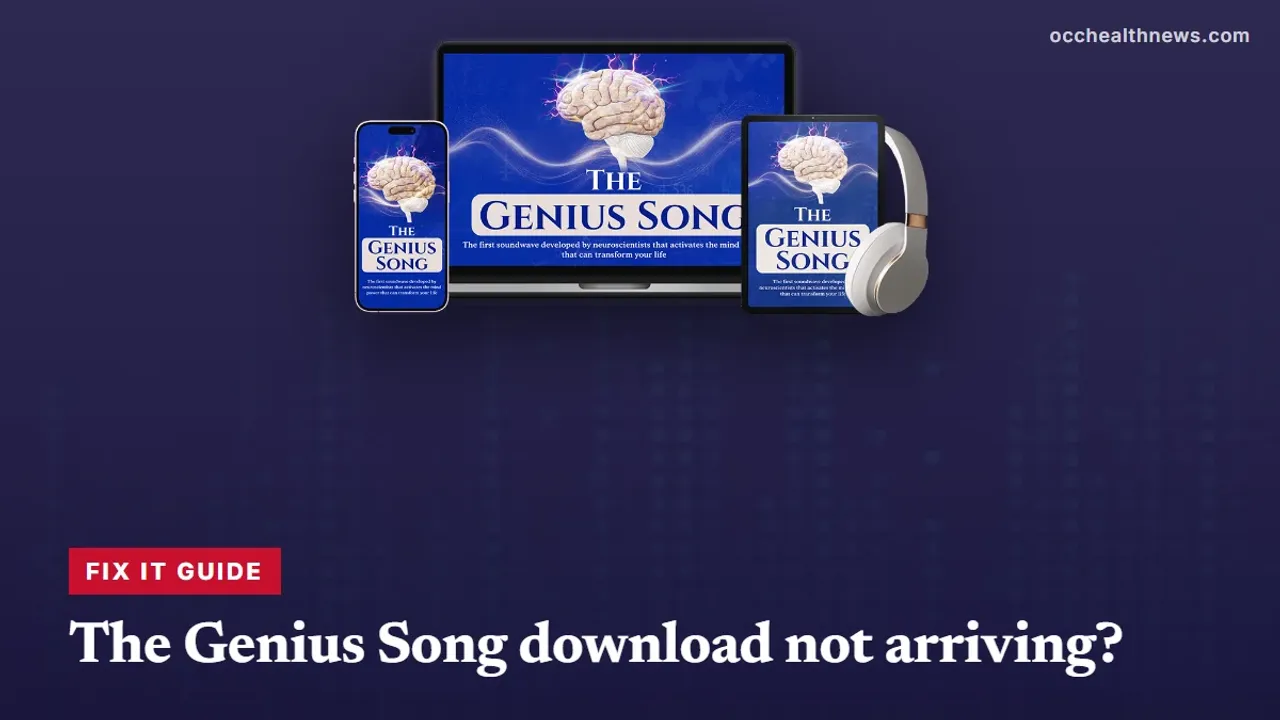
The Genius Song Download Problems: Missing Email, Login
Paid, but nothing to listen to? Most delivery hiccups with a ClickBank digital product come down to a filtered email, a typo at checkout or an expired link. Here is how to narrow it down, who to contact for each problem, and when a refund is the simpler answer.
Contents
- 1Genius song download not working? Pin down the problem first
- 2The delivery email has not turned up
- 3A link that will not open, or says it has expired
- 4Login details that do not work
- 5The track arrives but will not play
- 6Lost it after a new phone or a clean-up
- 7Seller support or ClickBank: who fixes what
- 8When a refund is the simpler fix
- 9Keep the claims in proportion
- 10Our bottom line on delivery trouble
A genius song download that never shows up, or shows up and then refuses to work, is frustrating after paying $39 for The Genius Song. The good news is that delivery problems with a ClickBank digital product tend to fall into a handful of patterns, and each has a fairly clear fix or a clear person to ask. This guide is a fault-finder: it starts from what you are seeing, points to the likely cause and tells you whether the seller or ClickBank should handle it. It is built from the seller’s pages, the sales video, the Terms of Sale and the ClickBank checkout; we did not buy the track, so we have not seen the delivery email ourselves.
Genius song download not working? Pin down the problem first
Before trying fixes, answer two questions. Did a ClickBank receipt reach you? And did a second email, from the seller, arrive with either the audio or a way to log in?
| Receipt? | Delivery email? | Most likely situation |
|---|---|---|
| Yes | No | Delivery email filtered or delayed |
| No | No | Typo in your address, or payment did not complete |
| Yes | Yes, but link fails | Expired or broken link, or a blocked download |
| Yes | Yes, login rejected | Copying error or portal fault on the seller’s side |
| Yes | Yes, file will not play | Device or app issue |
It also helps to know what “delivery” is supposed to look like, because the seller itself is not consistent. Its sales video says the track is emailed within minutes and should be downloaded to your phone or computer. Its written sales page instead promises login details for a “Private Audio Portal” you stream from, then repeats the download advice in its FAQ. So a working delivery email might contain an attachment, a download link or a set of login details. Our guide to how delivery works lays out both versions in full.
The delivery email has not turned up
Work through this list before writing to anyone:
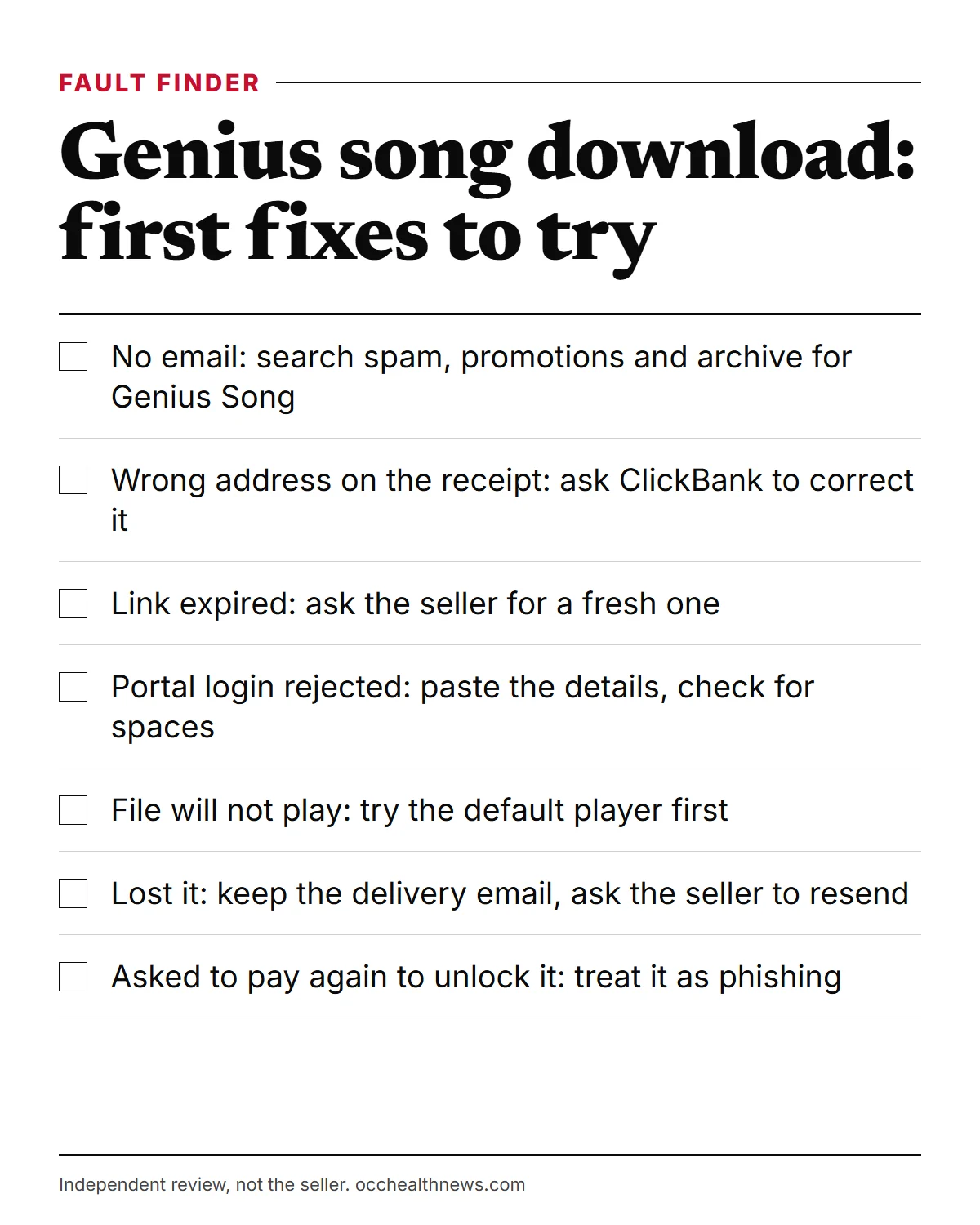
- Search every folder. Try “Genius Song”, “ClickBank” and “GeniusSongOfficial” across spam, promotions, updates and archive. Gmail’s help pages show how to search all mail at once, including spam.
- Check the address you used. Your ClickBank receipt shows it. A single wrong letter sends the delivery somewhere you will never see.
- Look at the order itself. ClickBank’s order lookup at clkbank.com confirms whether the payment completed.
- Give it a little time. The video promises minutes; an hour is a reasonable point to start asking.
If the receipt shows the right address and the order is complete, but still nothing has come, write to the seller and include your order number. If the address is wrong, ClickBank can help correct it.
A link that will not open, or says it has expired
Download links in delivery emails sometimes carry a time limit, and some email apps or work networks block them. Things to try:
- Open the email on a different device, for example a laptop instead of a phone, or the reverse.
- Use a normal browser rather than the built-in viewer of your email app.
- Switch networks. Office or school networks can block file downloads.
- Ask for a new link. If it has expired, the seller’s support address is the place to request a fresh one.
What not to do: go hunting for the track on file-sharing sites. Anything you find there is not what you paid for, the Terms bar sharing copies, and such files can carry malware.
Login details that do not work
If your email contains portal login details rather than a file, failed logins usually come from small things:
- Copy and paste the username and password rather than retyping, and watch for a trailing space.
- Use the link in the email to reach the login page, not a page found through a search engine.
- Clear the browser’s saved password if it keeps filling in something old.
- Try a private browsing window to rule out stored cookies.
If none of that helps, only the seller can reset access to its own portal. Send your order number and the email address you bought with to [email protected].
The track arrives but will not play
The seller does not name a file format on any page we checked, so we cannot give format-specific advice. General steps that solve most playback trouble:
- Make sure the download finished. A file that stopped part-way often refuses to open.
- Open it with the device’s default media player before trying anything else.
- Move it out of the email app into your files or music library, then open it from there.
- Update the device, or try a computer if the phone will not cooperate.
If none of that works, ask the seller which players it supports. For more on the format question, see our separate piece on the file format the seller does and does not state.
Lost it after a new phone or a clean-up
Keep the delivery email for as long as you plan to use the track; it is often the quickest way back in. If the email is gone too, ClickBank’s order lookup will still show the purchase, and the seller can be asked to resend delivery. The Terms describe the purchase as a single-user copy for personal use, so ask the seller rather than borrowing a friend’s copy.
Seller support or ClickBank: who fixes what
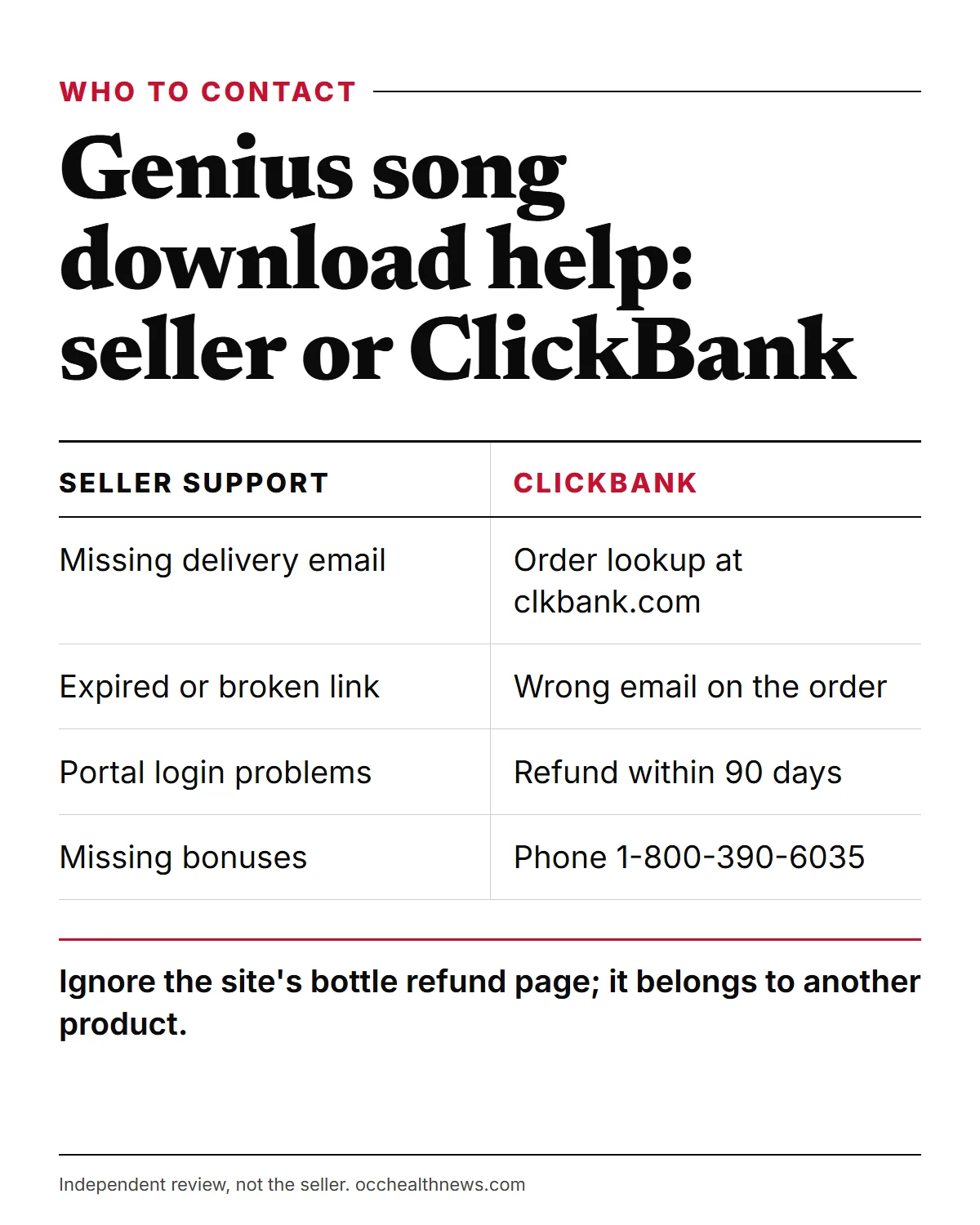
Sending a problem to the wrong place is the most common way to lose a few days. In short:
Go to the seller ([email protected]) for anything about the audio itself: a missing delivery email when payment is confirmed, an expired link, portal access, playback questions and missing bonuses. On bonuses, note that the seller’s pages disagree with each other. The video speaks of three free bonuses but describes four, and the written page claims four while showing three, so compare what you were sent with the page you bought from.
Go to ClickBank for anything about money or the order record: confirming the purchase, fixing the email address on the order, and refunds. Use clkbank.com or phone 1-800-390-6035. Your card statement will show the charge as CLKBANK*Genius Song.
Go to your card issuer only if a charge is wrong and neither of the above resolves it.
If you are unsure who is who, our article on the seller and its official channels explains the company and the contact routes.
When a refund is the simpler fix
Sometimes chasing a broken delivery is not worth the effort. The Terms say digital products can be refunded on requests made within 90 days of the initial purchase, and the checkout page lists a 90-day return or replacement period handled by ClickBank. Ask through clkbank.com or by phone and save the confirmation you receive.
Two traps to avoid. The seller’s site has a page at /TOS/refunds/ that sets out a 60-day policy for unopened NeuroActivate bottles, with a postal address in Ohio. It was plainly written for a physical supplement and has no bearing on an audio order. And the sales video talks about an “ironclad” guarantee without giving a number of days; the 90 days come from the Terms and the checkout, so diarise from your purchase date.
If you are still before checkout, one more detail saves confusion. Our link, like the seller’s own, opens the home page of geniussongoriginal.com, which at present promotes a sibling audio, The Genius Wave. The seller describes that one as a 12-minute theta session, separate from The Genius Song’s seven minutes aimed at gamma; the Genius Song presentation is on the /video/ page of the same site. Ordering the wrong item is a delivery problem no support email can fix, so read the line item.
Keep the claims in proportion
Getting the file working is one thing; expecting it to change your life is another. The man in the sales video calls himself Dr. Robert Lake, and the footer disclaimer on the seller’s pages says that name is a pen name. His stated credentials are part of the sales pitch, not facts we could confirm.
The benefits on offer, from creative breakthroughs to good luck, promotions and better school grades, are claims made by the seller. No published research has tested this track. Discussing a viewer’s casino jackpot, even the presenter allows that “there is, of course, no evidence” the song was behind it. The Terms describe the products as “provided for entertainment purposes only”, and they warn that people in the marketing may be actors or avatars, may have been paid and may appear under changed names. The seller’s headcounts do not match from page to page (18,366 versus 19,389), and its talk of “thousands of five star reviews” comes without any source. Our warning guide to scams around the product covers fake copies and coupon traps.
Once it plays, keep the level low enough to be comfortable and never listen while driving or running machinery. Anyone with a seizure disorder, epilepsy or hearing problems should check with a doctor before starting. It is not a treatment for any condition.
Our bottom line on delivery trouble
Most failed deliveries are fixed by a thorough inbox search, a corrected email address or a fresh link from the seller. Keep the two support routes straight: the seller for the audio and portal, ClickBank for the order and your money. And if the hassle outweighs the track, the 90-day refund through ClickBank is there for exactly that.
Frequently asked questions
How long should I wait before chasing a missing delivery email?
The seller says delivery takes minutes, so if an hour has passed and a search of every folder (spam and promotions included) finds nothing, get in touch. Start with ClickBank's order lookup at clkbank.com, which confirms the order went through and the address it was sent to.
I mistyped my email address at checkout. Can I still get the track?
Often, but someone has to correct the address for you. Contact ClickBank order support on 1-800-390-6035 with whatever order details you have, such as the purchase date and the name on the order, then ask the seller to resend the delivery to the right inbox.
The link in my delivery email says it has expired. What now?
Reply through the seller's support address, [email protected], with your order number and ask for a fresh link. Do not search for the file elsewhere; copies posted online are not covered by your purchase and may be unsafe.
My portal password is rejected. Who resets it?
The seller runs whatever portal it provides, so ask the seller's support address. Copy the login details straight from the email rather than retyping them, and check for a stray space before or after the password.
Can I get a refund if nothing ever arrived?
Yes. The Terms allow refunds on digital products within 90 days of purchase, and ClickBank's checkout states the same window. Request it through clkbank.com or by phone, and keep the confirmation.
Should I dispute the charge with my bank instead?
Try ClickBank first, because a refund there is usually quicker. If a charge is wrong and you cannot get it fixed, the FTC explains how card disputes work and the time limits that apply.
An email asks me to confirm my card to release my audio. Is that real?
Treat it as a phishing attempt. Delivery of a digital order that is already paid should never require a second payment. Do not click the link; check your order through clkbank.com instead.
Sources
- 1 ClickBank Customer Service: Order Lookup and Support ClickBank
- 2 How do I get a refund for a ClickBank product I have purchased? ClickBank Support
- 3 Search in Gmail Google Gmail Help
- 4 How To Recognize and Avoid Phishing Scams US Federal Trade Commission
- 5 Using Credit Cards and Disputing Charges US Federal Trade Commission
About the author
OccHealthNews Editorial Team. We read the studies, guidelines and regulatory filings so you do not have to, and we show our sources on every piece. More about how we work.